


|
|
|
|
|

|

|

|

|

|

|

|

|
| Email contact |
|
|

|
Sadly, newer browser versions no longer support Java applets. I will be researching potential options to allow Rodent's Vengeance online play.
For those who are running on older platforms, here is the Rodent's Vengeance game in Java Applet format. Enjoy playing an online game after your homework is completed, during your coffee break, or after a romantic moonlight walk with your boy/girl friend. Included with the new applet release are many of the features previously only available with the game download. Now you can change Cat Smarts, Board Size, and Yarn Ball Activity when playing online. Of course the game saving and reloading features only apply to the downloadable version of Rodent's Vengeance.
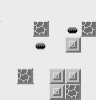
To start the Rodent's Vengeance game applet, click on the game board icon at the left to gain focus, and then click on the "Start Rodent Game" button. Wait a moment for the game board to come up, and then begin game play.